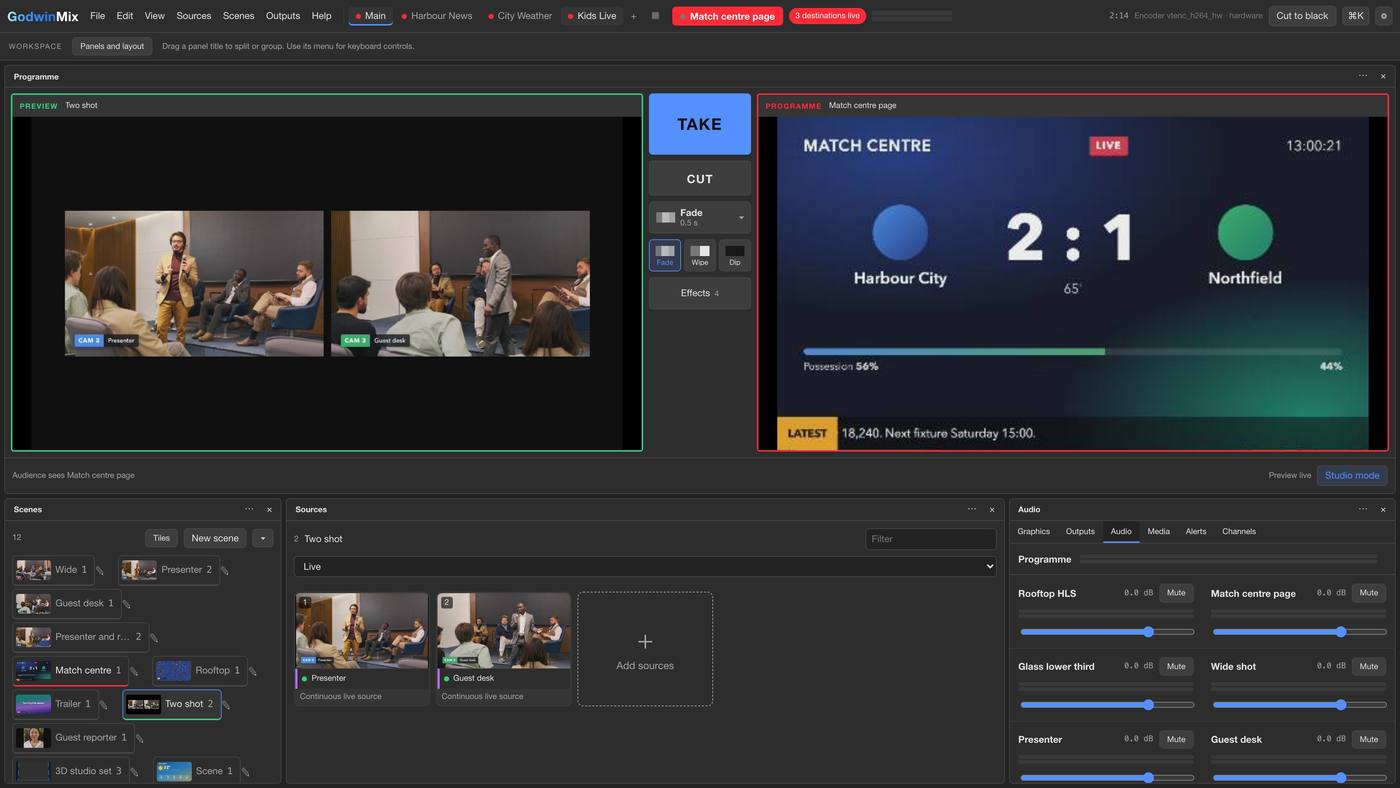
See the next shot before it goes out
The left side is ready, the right side is what people at home see. Press Take and the picture fades across.
Live streaming, set up for you
Conferences, church services, classes, matches, concerts and weddings. The GodwinMix team installs it on your computer, connects your cameras and phones, sends your stream to YouTube, Facebook and your website at the same time, and trains your crew. One fixed price, and you go live on the date you choose.
GodwinMix itself is free and open source. These packages are optional help for teams who want it set up for them.
Download freeCameras, titles, guests and several destinations, all run from one page.
Made for any live event
What your team gets
Your operator opens a web page and runs the whole event from it: cameras, titles, guests and every destination.
The left side is ready, the right side is what people at home see. Press Take and the picture fades across.
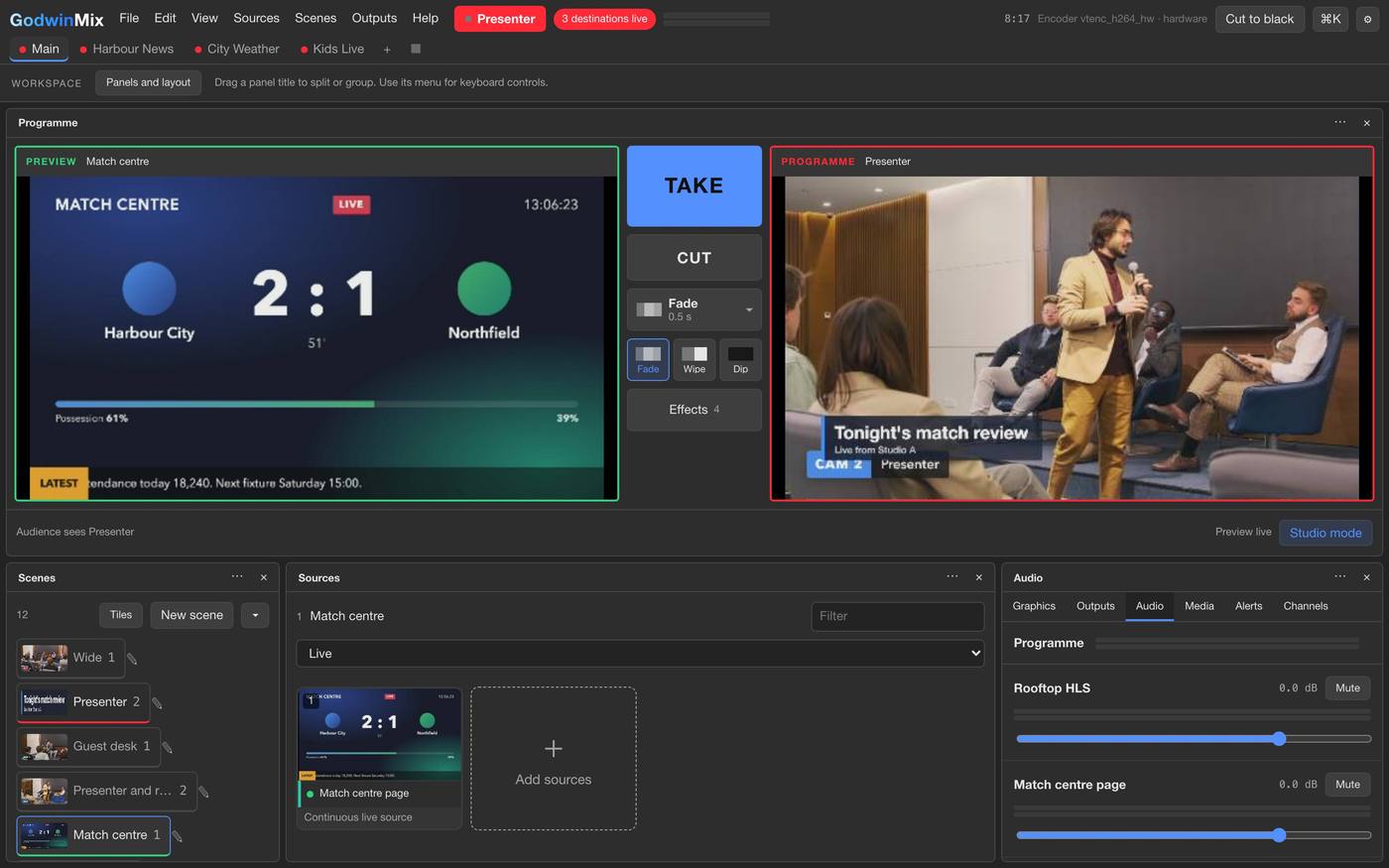
Speaker names, match scores, song lyrics and your logo sit over the picture for everyone watching at home.
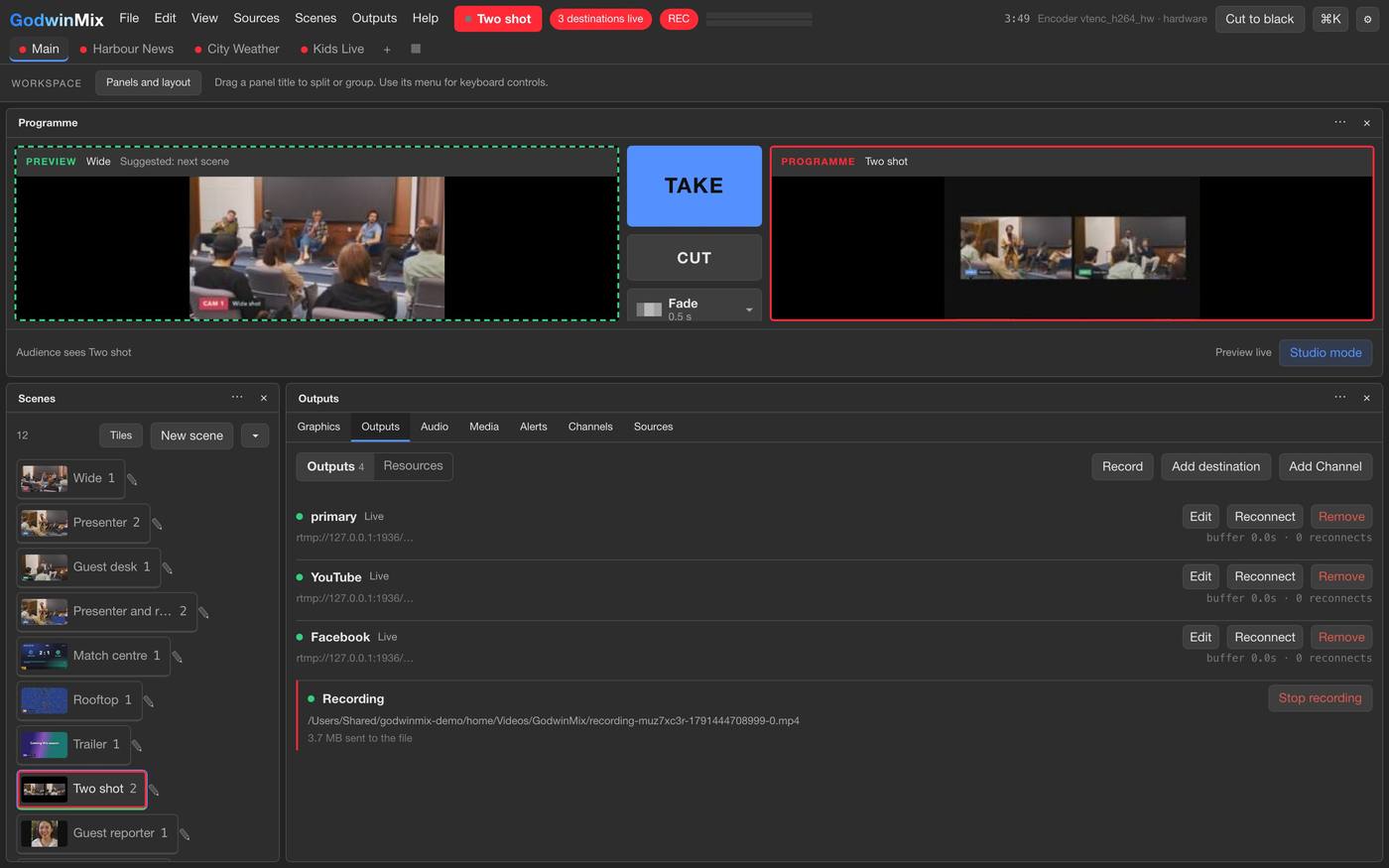
Both go live at once, and the whole event is recorded on your computer for anyone who watches later.
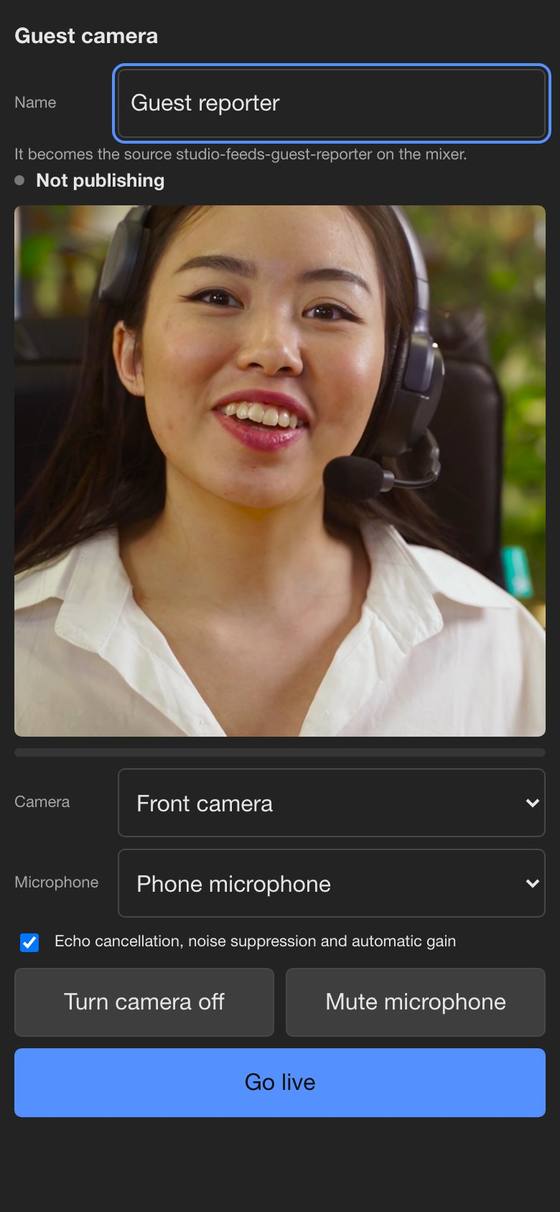
Send a link or show a QR code. A remote speaker or an extra camera angle joins with no app to install.
Packages
Choose optional setup or support. Pick a package, answer a few questions, and we send your setup date on WhatsApp.
For event teams, venues, churches, schools and businesses
GodwinMix itself is free. You pay for the setup.
Add on to Live Setup, for peace of mind at every event
Cancel any time.
How it works
Get started
Answer these and we will have everything we need. You will see the next step straight away.
Questions
GodwinMix works with your webcams, cameras and phones on Windows, Apple Silicon Mac or Linux. Our team plans the setup around your equipment.
Yes. GodwinMix is free and open source, with no account and no monthly fee for the software. The packages cover setting it up for you, training your team and supporting you.
The stream keeps going. Viewers see a dark slate under your titles instead of an error, your operator gets an alert saying which camera stopped, and the picture comes back by itself when the cable goes back in.
Over a screen share. You plug in your cameras, our team does the rest, and we test it together before your first event.
A one hour video call where your team runs a practice show. It is recorded, so new operators can watch it later.
You do. Everything runs on your computer and goes to your own YouTube and Facebook accounts.
By card through a secure payment link. Live Care is billed monthly and you can cancel any time.